Telegram Story Views: Counter, Viewer List, and Service Checks
By Ashkan — Telegram Growth Team
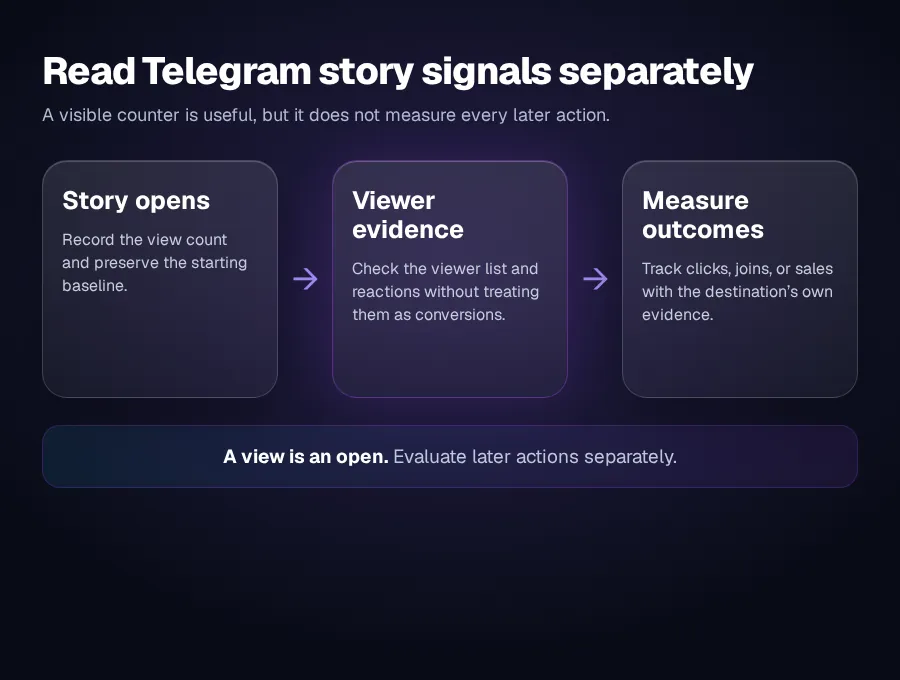
A Telegram story view is recorded when a person opens the story, but the visible count is only the first layer of evidence. The author can also inspect the viewer list, while channel stories can show reaction counters. These signals answer different questions: how many opens occurred, which visible accounts opened the story, and whether viewers took an extra action.
If you are evaluating a story-view service, first confirm that the story has a shareable public route, the listing asks for that exact target, and delivery can be checked against a saved baseline. Do not provide a Telegram password, login code, QR approval, or session file for a link-based order.
What Telegram counts as a story view
Telegram's official Stories announcement says that when a user opens a story, the user appears in a viewer list visible to the author, like a read receipt.[1] That makes the view counter an open count, not proof that the viewer watched every second, understood the message, tapped a link, joined a channel, or bought anything.
The viewer list adds account-level detail. Telegram says the author can filter it to contacts, sort it by recent views or reactions, and search for a specific name.[1] A higher counter and a longer viewer list are related, but neither is a conversion report.
| Signal | What it confirms | What it does not confirm |
|---|---|---|
| View count | The story was opened the displayed number of times under Telegram's current counting rules. | Full watch time, attention, link clicks, joins, or sales. |
| Viewer list | Visible accounts that Telegram shows to the story author. | That every viewer belongs to the intended audience or took a later action. |
| Reaction counter | For channel stories, how many viewers chose each displayed reaction.[2] | Why they reacted or whether the reaction led to a business result. |
| Link or join result | An action recorded by the destination's own analytics or a trackable invite. | That the story alone caused every later action unless the measurement setup supports that conclusion. |
Where the viewer list and reaction counters differ
Open your own story and use the views control to inspect the names Telegram exposes. The list belongs to the author; it is not a public directory that an outside provider should need to access through your account.
Channel stories add another public-facing signal. Telegram's channel-stories announcement says reaction stickers on channel stories display counters for the people who selected each reaction.[2] A reaction is a stronger visible action than an open, but it is still not a click or a join.
Check whether the story has a usable public target
A service cannot act on a story that it cannot identify or open. Telegram's API includes an official method for exporting a story link, and it requires a peer with a username.[3] In practical terms, a public channel or public account story is easier to reference than a story available only inside a private account context.
Copy the story's own share link when Telegram offers it. Do not substitute the channel homepage, a normal post, or a private invite and assume the provider will infer the intended story. The public and private Telegram link guide explains why a link can open correctly but still point to the wrong object for an order.
If Telegram does not provide a usable share route for the target, leave the order unplaced. Changing a private account or channel to public only for a service changes who can discover it and is not a harmless troubleshooting step.
What a credible story-view listing should state
A useful listing needs more than the words “Telegram story views.” Read the exact service row before paying and look for the target type, accepted link format, quantity, start conditions, speed description, and any replacement or cancellation terms. If the listing does not name its required input, compatibility is unknown.
| Listing field | Question to answer before ordering | Why it matters |
|---|---|---|
| Target | Does it support a personal story, channel story, or both? | Those targets are not automatically interchangeable. |
| Link type | Does the listing request the exported story link or another exact format? | A channel homepage does not identify one story. |
| Visibility | Must the story be public and reachable without your administrator session? | An inaccessible target can prevent delivery from starting. |
| Quantity | Is the number a total view target or an additional amount? | The verification arithmetic changes. |
| Timing | Does the listing state when delivery may begin and how speed is described? | Stories may be time-limited, so vague timing can make the service unsuitable. |
| Credentials | Does checkout ask only for the required link? | A normal link-based service should not need your password, code, QR approval, or session file. |
Record a baseline before you test
- Save the target. Record the exact story link and confirm that it opens the intended story outside your administrator context.
- Capture the starting count. Take a dated screenshot of the view count and, when useful, the viewer-list state.
- Record the listing. Save the exact service name, quantity, timing language, link requirement, and current terms.
- Use a small test. Choose the minimum practical quantity rather than treating an unverified listing as a full campaign plan.
- Check the destination separately. If the story contains a link or promotes a channel, measure clicks, joins, or other actions with the destination's own tools.
This separates delivery verification from campaign evaluation. A view service may change the visible count without changing reach quality, retention, or sales. Use the Telegram channel analytics guide to build a wider baseline around post reach, reactions, sources, and audience fit.
Common reasons a story-view order cannot be verified
- The wrong link was submitted. The channel homepage opens, but it does not identify the story.
- The story is not publicly reachable. It opens for the administrator's account but not for an outside visitor.
- The baseline is missing. Without the starting counter, you cannot separate existing views from later delivery.
- The story expires during delivery. Telegram supports time-limited stories, so timing must fit the live window.[1]
- The listing describes a different product. Post views, automatic post views, channel stories, and story reactions solve different tasks.
- The dashboard is treated as the only evidence. Verify the visible Telegram result as well as the provider's order state.
Use story views as one input, not the campaign goal
Story views can help with initial distribution or a controlled service test, but they do not replace a reason to keep watching. The story still needs a clear opening frame, readable text, a relevant offer, and one next action. Compare the result with your normal story performance rather than treating a larger counter as proof of growth.
For channel stories, eligibility and posting capacity can also depend on channel boosts and administrator rights. The Telegram channel boosts guide explains the level and access checks before publication.
When a current OneSMM listing explicitly supports the target and link format you have verified, use the live service catalog as the controlling source for its present conditions. If no matching listing is visible, do not place a different product and hope it behaves like story views.
Sources
[1] Telegram: Stories and 10 Years of Telegram