Telegram Stars Guide: How to Buy, Gift, Spend, and Withdraw Stars
Telegram Stars are virtual items used inside Telegram. You can buy Stars for your own balance or gift them to another user, then spend them on supported digital goods, paid media, creator rewards, gifts, Premium gift subscriptions, bots, and mini apps. A creator or developer who earns Stars has a separate revenue flow that may become withdrawable through Fragment under Telegram's rules.[1][2]
The distinction that prevents most mistakes is simple: purchased Stars are for spending, while eligible earned revenue may be withdrawn. Telegram's Stars terms say that Stars in a personal purchased balance cannot be sold, withdrawn, or transferred outside the uses allowed by Telegram.[2] Check the exact product, recipient, amount, payment processor, and refund terms before paying.
Video summary

What Telegram Stars are, and what they are not
Telegram introduced Stars as the platform currency for digital goods and services sold by bots and mini apps. Telegram later expanded where Stars can be used, including paid media, creator rewards, gifts, paid messages, and some Premium gift subscriptions.[1][2][3]
Stars are not a personal bank balance or a general-purpose cryptocurrency. The purchased balance stays inside Telegram and can be used only for supported products and features. Telegram's terms also distinguish that balance from revenue credited to a channel, bot, or creator.[2]
| Balance or transaction | What it is for | Can the user withdraw it? |
|---|---|---|
| Stars you purchase | Supported digital goods, bot and mini-app purchases, paid media, creator support, and Telegram gifts | No. Telegram's Stars terms restrict a personal purchased balance to supported in-platform uses.[2] |
| Stars gifted to another user | A Stars balance delivered to the selected recipient through a supported gift flow | The recipient uses the balance under the same personal-balance rules.[2][4] |
| Revenue earned by a bot or channel | Payments or rewards received through supported creator and developer features | Potentially, when Telegram marks revenue as available and the account meets the applicable rules.[3][5] |
| Telegram Premium gift subscription | A time-based Premium subscription bought with Stars where that option is offered | It is a subscription purchase, not a withdrawable Stars balance.[2] |
How to buy Stars for your own account
Telegram's current terms list in-app purchases on official iOS and Android apps. They also list @PremiumBot on Telegram's direct Android app, Web, and Desktop clients. Telegram's technical documentation describes Fragment as another available payment route and notes that regional restrictions can block purchases for some users.[2][4]
- Open the Stars area in an official Telegram client. The label and placement can vary by app version, but the checkout should identify your account and the Stars package.
- Choose a package and inspect the final charge. The checkout currency, taxes, payment-processor commission, and conversion rate can differ by country and provider.[2]
- Confirm the account receiving the balance. A self-purchase should credit the account currently shown in Telegram.
- Keep the transaction record. Telegram exposes Stars balance and transaction history so you can check whether the top-up completed or was refunded.[4]
Do not use an old screenshot as a price list. Telegram reserves the right to change Star prices, and payment providers can apply local taxes, commissions, or currency conversion.[2] The current checkout shown to your account is the relevant amount.
How gifting Stars differs from buying them for yourself
A Stars gift credits a selected Telegram user rather than the sender's own balance. Telegram's documented flow retrieves gift options for the chosen user, shows a payment form, and delivers a Telegram service message to the recipient after successful payment.[4]
Before you confirm a gift:
- open the recipient's profile from the exact username or chat;
- check that the profile belongs to the intended person;
- verify the Stars amount and final payment currency;
- confirm that gifting is available for that account and region;
- keep the receipt until the recipient sees the balance or gift message.
A display name is not a reliable identifier because different accounts can use the same name. Check the actual profile and username. A legitimate gift does not require the recipient to hand over a password, login code, two-step verification password, QR approval, or session file.
Where you can spend Telegram Stars
The available uses depend on Telegram's current clients and on what a bot, mini app, channel, or creator offers. Telegram's terms and technical documentation currently cover these common routes:[2][4]
- Digital goods and services sold through bots and mini apps;
- Paid media that unlocks after the required Stars payment;
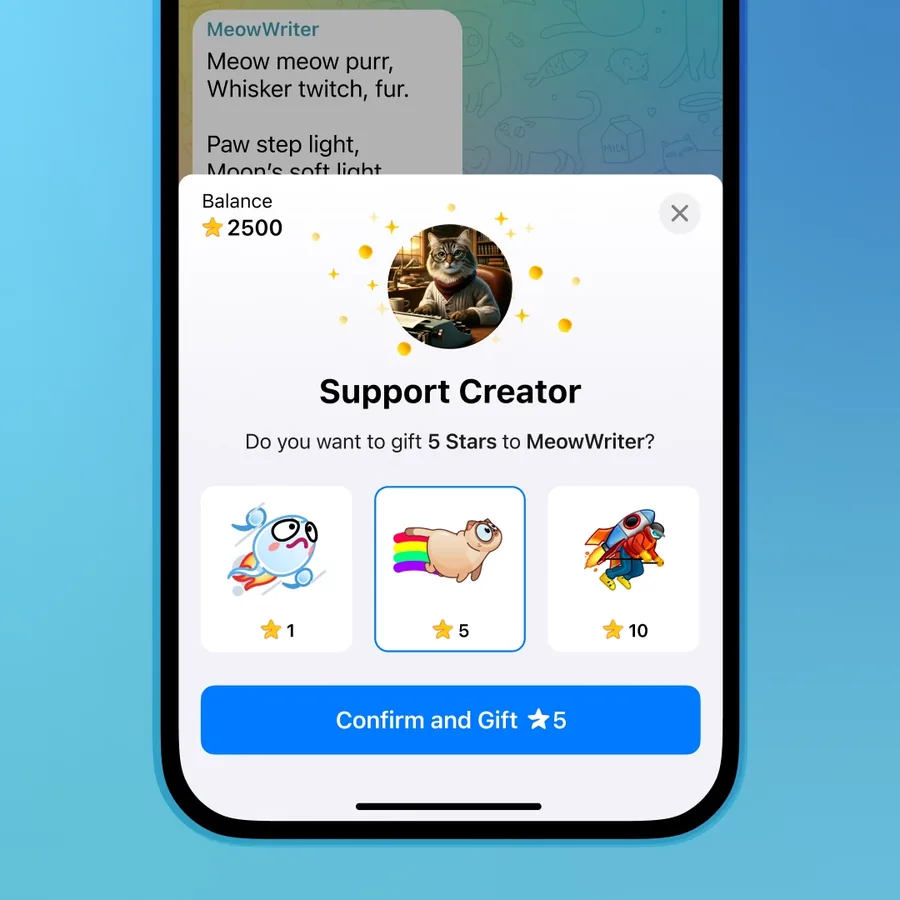
- Creator support through supported rewards and gifts;
- Telegram gifts and supported gift upgrades or transfers;
- Paid messages in chats where the recipient or group has enabled a Stars fee;
- Premium gift subscriptions where Telegram presents that option.
The item being sold matters more than the fact that it accepts Stars. A bot or mini app is operated by its developer, and Telegram directs delivery disputes to that developer first. For a digital purchase that was not delivered as advertised, Telegram says to contact the bot with /paysupport. If the developer does not resolve a legitimate dispute, the transaction ID from Settings > Your Stars can be used in Telegram's dispute flow.[2]
Refunds, chargebacks, and failed purchases
Telegram's terms say purchases of Stars themselves are final and that Telegram does not refund an unwanted or accidental Stars top-up. That is separate from a developer refund for a digital item that a bot or mini app failed to deliver.[2]
| Problem | First check | Next action |
|---|---|---|
| Stars top-up missing | Telegram transaction history and the payment processor's receipt | Contact the payment processor named in the checkout; Telegram says it does not process those transactions itself.[2] |
| Bot or mini-app item missing | Transaction status and the seller's stated delivery terms | Use /paysupport with the bot, then Telegram's dispute route if a legitimate issue remains unresolved.[2] |
| Gift sent to the wrong profile | The recipient shown on the completed transaction | Contact the relevant payment or product support. Never share account credentials to “reverse” the error. |
| Chargeback from an app store | The app store's dispute status | Expect Telegram and the payment provider to exchange account and transaction data as described in the terms.[2] |
Deleting a Telegram account or losing access can forfeit the remaining personal Star balance under Telegram's terms.[2] Protect the account before you top up: use Telegram's two-step verification, review active sessions, and keep recovery details current.
How creators and developers earn Stars
Channels, bot developers, and other eligible creators can receive Stars through supported paid features. The revenue appears separately from a user's personal purchased balance. Telegram's technical documentation provides revenue statistics for eligible channel and bot administrators, including current, available, and overall earned balances.[4]
Revenue can remain unavailable for withdrawal while Telegram's holding or eligibility rules apply. Do not promise a creator that every received Star is immediately cashable. The current revenue screen and Telegram's Content Creator Terms are the sources of truth for availability, deductions, and withdrawal conditions.[5]
For a channel, Stars revenue is only one part of monetization. The guide to monetizing a Telegram channel compares Stars-supported features with subscriptions, direct sponsorships, and ad revenue. If you are deciding whether an audience is ready to pay, start with the offer and reader demand rather than the payment button.
How creator withdrawals work
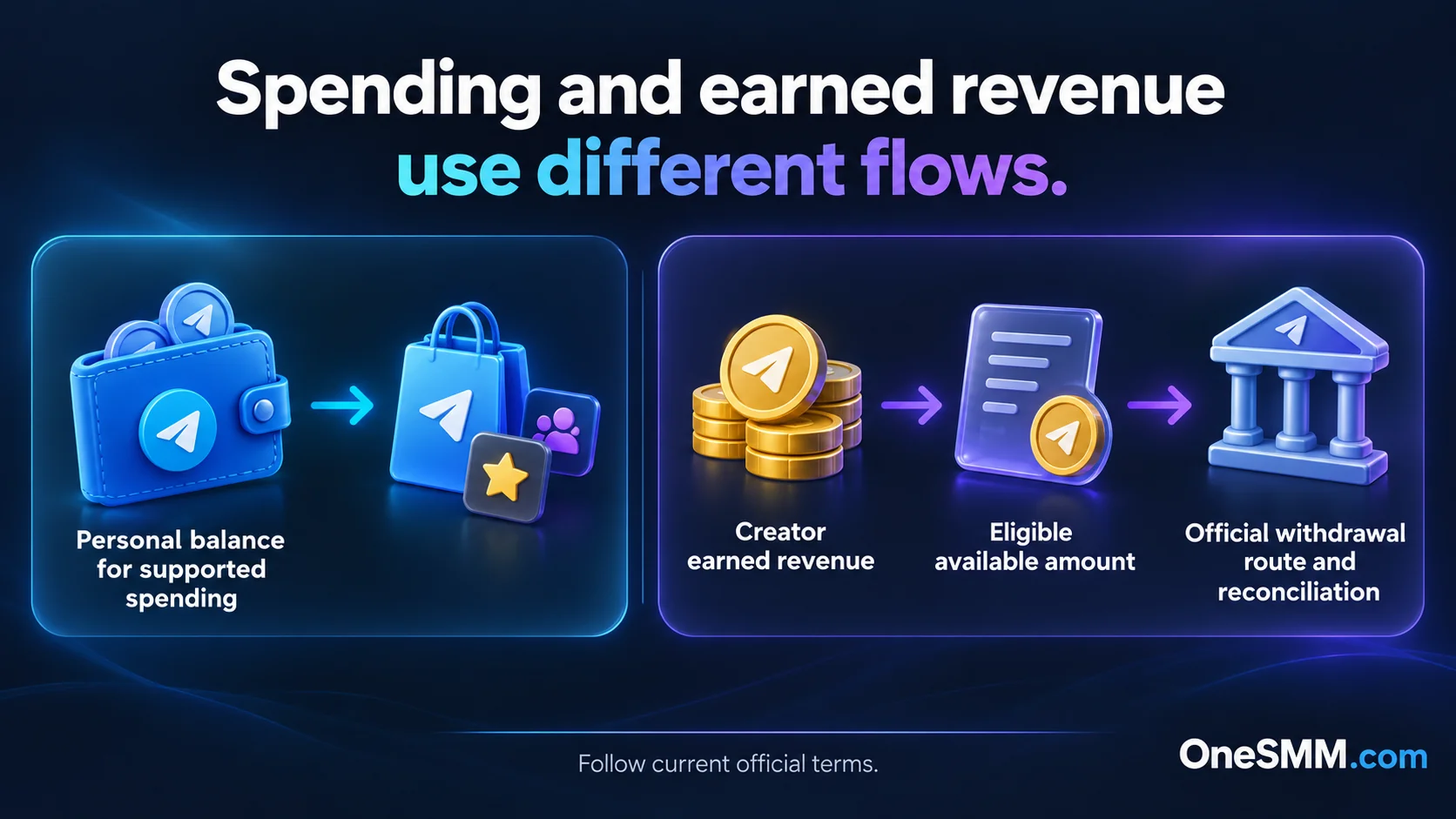
Telegram's documented withdrawal flow generates a unique Fragment URL. The eligible channel or bot owner supplies the account's two-step verification password to Telegram's secure verification process, then uses the Fragment page to specify a TON wallet address.[4]
- Open the relevant channel or bot's Stars revenue or monetization area.
- Check the current balance and the amount Telegram marks as available.
- Start the withdrawal from that official revenue screen.
- Complete Telegram's own two-step verification step.
- Review the Fragment destination and wallet address before confirming.
- Keep the Telegram and blockchain transaction references for reconciliation.
This process is for eligible earned revenue. It does not turn a normal personal top-up into withdrawable funds. Telegram can also limit or delay availability under its creator terms, and blockchain transfers cannot be treated like a reversible card payment.[5]
Stars, Premium, and channel boosts are different products
Stars can be used for some Telegram products, including supported Premium gift subscriptions, but a Stars balance is not itself Telegram Premium. A channel boost is also a separate channel-level action. Premium reactions, Premium members, and other services that use the word “Premium” do not add Stars to an account.
If your goal is a personal Premium subscription rather than a spendable Stars balance, read the Telegram Premium buying guide. It explains subscriptions, prepaid gifts, recipient checks, and the difference between Premium account access and other Premium-labeled products.
Checks before using a third-party Stars seller
A third-party seller adds another party between you and Telegram. Before paying, confirm:
- the product is a Stars top-up or gift, not a Premium subscription or another service;
- the exact recipient identifier and amount are shown before payment;
- the seller explains the delivery method and failure policy;
- the final currency and charge are visible;
- support can identify the order without requesting Telegram credentials;
- the seller does not claim that purchased Stars can be withdrawn for cash.
Stop if the seller asks for a Telegram password, login code, two-step verification password, QR login approval, session file, or remote access. A username may identify a gift recipient; it does not grant account access.
OneSMM does not currently have a dedicated public Telegram Stars purchase page that this guide can verify as the owner of exact “buy Telegram Stars” intent. This article therefore explains the decision and the official routes without presenting a Stars sales offer. You can review the current OneSMM service catalog for available Telegram categories, but read the selected row at checkout because catalog products and conditions can change.
A short decision path
- If you want Stars for yourself, use the top-up shown in your official Telegram client and verify the active account.
- If you want to send Stars, open the intended recipient's exact profile and use a supported gift route.
- If you want to buy a digital item, inspect the bot, mini app, channel, or creator's product and support terms before confirming.
- If you earned Stars, use the channel or bot revenue screen and withdraw only the amount Telegram marks as available.
- If you want Premium, choose a Premium subscription or gift rather than assuming a Stars top-up is the same product.
The transaction should make sense before you press Pay: who receives what, where the balance appears, and whether it is spendable or eligible revenue. If any of those fields is unclear, leave the checkout and verify them first.
Sources
[1] Telegram Stars: Pay for Digital Goods and More
[2] Telegram Terms of Service for Telegram Stars
[3] Telegram: Mini App Bar, Paid Media, Story Search and More