Buying Telegram Premium: Gift Subscriptions, Payment Options, and What to Check
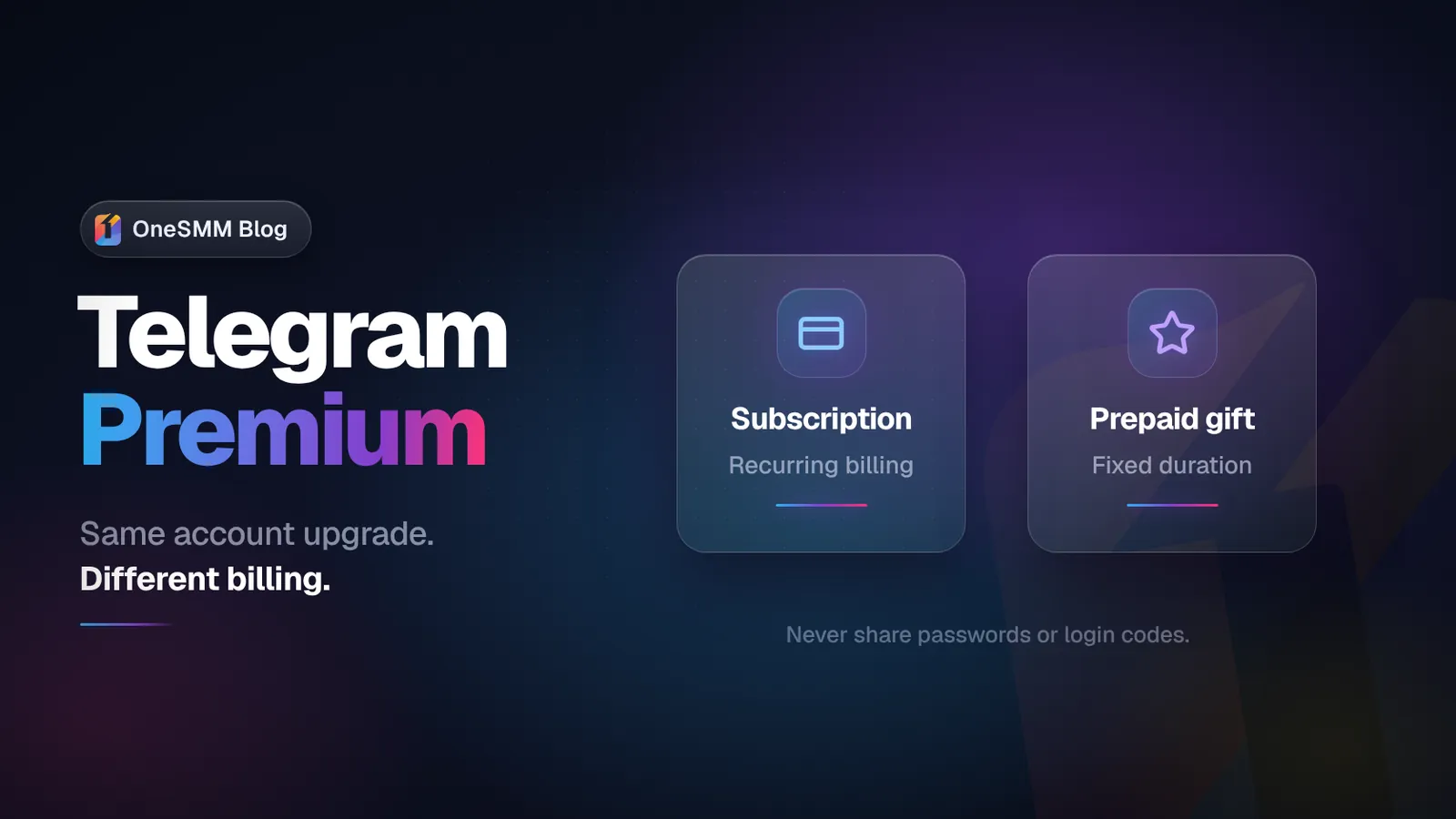
If you are buying Telegram Premium for your own account, start with Telegram's in-app subscription or @PremiumBot where it is available. For someone else, Telegram offers prepaid Premium gifts for 3, 6, or 12 months.[1][2]
If you use a third-party provider, check that the listing says Telegram Premium subscription, shows the number of months, and asks only for the recipient's Telegram username. The username tells the provider which account should receive the subscription; it does not give anyone access to that account. Never send a password, login code, two-step verification password, QR login approval, or session file.
Do not rely on the word “Premium” by itself. Premium members, Premium reactions, channel boosts, and Telegram Stars are separate products. None of them upgrades a personal account.
Video summary

Three ways to buy Telegram Premium
Subscribe through Telegram
Telegram lists the App Store, Google Play, and @PremiumBot as subscription methods. Telegram also says @PremiumBot may offer a lower price because the payment is not subject to Apple or Google fees, although availability depends on the Telegram app and region you use.[1]
This route is the easiest to understand because the purchase happens through Telegram or the app store connected to your device. Before paying, check:
- the account shown in Telegram is the account you want to upgrade;
- the billing period and renewal terms are visible;
- the final amount includes any store fees and local taxes;
- you know where that provider manages cancellation.
Prices can differ by country, payment method, taxes, and store fees. Telegram's FAQ explains that App Store and Google Play currency follows the corresponding store account, while @PremiumBot pricing may depend on the account's phone-number country and payment method.[1] A lower price in another screenshot is not proof that the same price will appear for you.
Send or receive a prepaid Premium gift
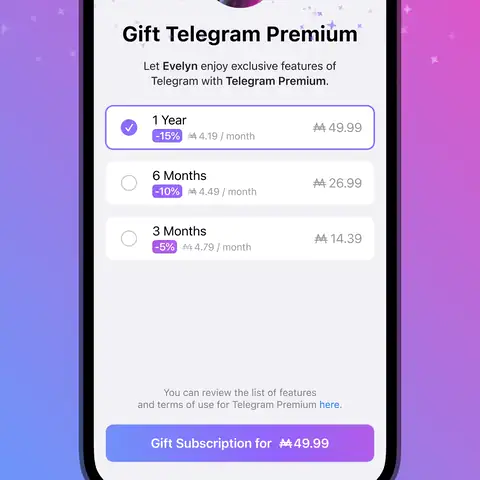
Telegram supports prepaid Premium gifts for 3, 6, or 12 months. The sender can open the recipient's profile and choose Gift Premium; Telegram delivers the gift in the chat with that user.[1][2]
A gift is useful when:
- someone else is paying for the subscription;
- the recipient cannot use the sender's payment method directly;
- you want a fixed duration instead of choosing a recurring plan at checkout;
- an agency or reseller needs to deliver Premium to a specific username.
Check the recipient carefully. Usernames can look similar, and display names are not unique. Open the profile from the username you were given and verify it with the recipient before sending the gift.
Use a third-party provider
A third-party provider can be convenient when you need a specific prepaid duration, want to pay from an existing panel balance, or need to fulfill subscriptions for clients. Convenience does not remove the need to verify the order.
A properly described offer should tell you:
- Product type: whether it is an account subscription or a different Premium-labeled service;
- Duration: the exact subscription duration;
- Delivery method: whether delivery uses a gift, direct activation, or another stated method;
- Required identifier: what account identifier is required;
- Failure handling: what happens if the username is wrong or cannot receive the subscription;
- Support: how support handles a failed or delayed order.
Do not assume that a marketplace listing, gift code, or SMM panel order follows Telegram's recurring subscription rules. Read the specific product terms before payment.
Do not confuse a subscription with other Premium products
Telegram Premium is an optional subscription attached to a user account. It adds account features in Telegram, including larger file uploads, faster downloads, voice-to-text tools, extra reactions, custom emoji, advanced chat management, and higher limits.[1][3]
The word “Premium” appears in several unrelated SMM services. Only the first row below upgrades a Telegram user account.
| Product | What the buyer receives | Typical input |
|---|---|---|
| Telegram Premium subscription | Premium access on one Telegram account for a stated period | Recipient username or Telegram's own checkout |
| Premium members | Accounts with Premium status joining a channel or group | Channel or group link |
| Premium reactions | Reactions placed by Premium accounts on a post | Post link |
| Channel boosts | Boosts assigned to a channel or group to help it unlock level-based features | Channel/group boost link or supported public/private link |
| Telegram Stars | Telegram's virtual items for supported purchases and creator features | Account, post, bot, or product-specific input |
If your goal is to upgrade your personal account, choose a product that explicitly says "Telegram Premium subscription" or lists a duration such as 3, 6, or 12 months. A package of Premium reactions will not upgrade your account. Premium members will not do it either.
What a provider should never ask you to send
A Premium subscription or gift should not require another person to sign in to your Telegram account. Treat these as stop signals:
- your Telegram password;
- an SMS or in-app login code;
- your two-step verification password;
- a QR login approval for a device you do not control;
- a session file or exported login session;
- remote access to your phone or computer.
Your public username is different from a password. A provider may need the username to identify the recipient, but that does not give the provider access to your account.
If a seller changes the instructions after you pay and suddenly asks for a login code, stop. Do not trade account access for a subscription.
A pre-payment checklist that catches most mistakes
Use this before Telegram's checkout or a third-party order form.
| Check | Why it matters |
|---|---|
| Correct product name | Prevents buying reactions, boosts, members, or Stars when you wanted an account subscription |
| Recipient username | Sends the subscription to the intended account |
| Duration | Distinguishes a short prepaid gift from a longer plan |
| Renewal behavior | Shows whether future billing is expected |
| Final amount and currency | Reveals store fees, taxes, and regional pricing differences |
| Required information | A username may be reasonable; passwords and login codes are not |
| Delivery method | Tells you whether to expect a Telegram gift message, activation, or a code |
| Failure policy | Explains what happens if the account is ineligible or the order cannot be completed |
| Support channel | Gives you a place to resolve a genuine delivery problem |
Take a screenshot of the product name, duration, recipient, and order number after payment. That record is useful if you need support, but it is not proof of activation. Verify the subscription inside the recipient's Telegram account.
How to choose the correct OneSMM Premium item
The current OneSMM service catalog separates several Premium-related categories. For an account upgrade, look under Telegram Premium Upgrade & Stars and choose a plan that explicitly names the subscription duration. The catalog currently lists 3-, 6-, and 12-month Telegram Premium plans and states that these account-upgrade items use the Telegram username without requesting a password or verification code.[4]
The Buy Telegram Premium page also includes Premium reactions and channel-boost products.[5] Those are useful for different goals, but they are not personal account subscriptions. Read the product name before clicking Order.
A simple rule works well:
- choose a month-based Premium plan to upgrade an account;
- choose Premium reactions for emoji reactions on a post;
- choose Premium members when you want Premium accounts added to a channel or group;
- choose boosts when your goal is a channel or group level;
- choose Stars only for a Stars-specific use.
You can review the current names and conditions in the full OneSMM Telegram service catalog. Catalog details can change, so the service row you select at checkout is the version that matters.
Verify activation from the recipient's account
Do not close the task because a seller marks an order complete. The recipient should open Telegram and verify the result directly.
Check for:
- Premium status on the intended account.
- The expected Premium features in Telegram settings.
- The subscription or gift confirmation inside Telegram.
- The expected end date or billing period where the purchase provider displays it.
Use an official, updated Telegram app when checking features. Telegram notes that some clients may not immediately support every Premium feature even when the account has an active subscription.[1]
If the wrong account received the gift, do not try to solve it by sharing credentials. Contact the payment provider or seller with the order record and recipient details.
Cancellation and expiry depend on the purchase route
A recurring subscription is managed through the provider that processed it. Telegram's FAQ says @PremiumBot subscriptions can be stopped with /stop; Google Play subscriptions are managed in Google payments and subscriptions; iOS subscriptions are managed in Apple ID subscription settings.[1]
Canceling future billing does not normally remove the current paid period immediately. Telegram says Premium features remain available until the current billing period ends, then Premium-only limits and features are reduced or removed while free Telegram functionality remains.[1]
Uninstalling Telegram does not cancel a subscription. Changing the phone number attached to the same Telegram account also does not remove Premium, according to Telegram's FAQ.[1] Deleting an account is different: app-store billing may continue until it is canceled through Apple or Google.[1]
For a prepaid gift or third-party order, use the exact duration and terms displayed for that product. Do not assume it renews, pauses, or refunds the same way as an app-store subscription.
When Premium is worth buying, and when it is not
Premium is easier to justify when you regularly use its higher limits, larger uploads, faster media downloads, transcription, custom emoji, account-management tools, or channel-related features. It may also make sense as a gift when the recipient already uses Telegram heavily.
You do not need Premium to keep using Telegram. Telegram states that the features available before Premium was introduced remain free, including cloud storage, groups and channels, calls, and multi-device access.[1]
Skip the purchase if you only want a larger channel member count, more post views, or reactions. Those are separate outcomes. Buying a personal subscription will not automatically grow a channel.
Make the product name do the work
The safest order is the one you can describe in one sentence before paying: "a 6-month Telegram Premium subscription for this exact username," for example. If the description instead says reactions, members, boosts, or Stars, it is a different product.
When you are ready to compare current account-upgrade durations, open OneSMM's Telegram Premium catalog and confirm the selected row again in New Order. Use only the recipient username requested by that plan. Never provide a password, login code, or two-step verification password.
Frequently asked questions
Can I buy Telegram Premium for another person?
Yes. Telegram supports prepaid gifts for 3, 6, or 12 months. Confirm the recipient's exact username or profile before sending it.[1][2]
Is Telegram Premium the same as a channel boost?
No. Premium is a subscription for a user account. Premium users may receive boost slots they can assign, while a channel boost is a separate channel-level action. A boost package does not give the channel owner a personal Premium subscription.[1]
Does buying Premium require my Telegram password?
Telegram's official subscription flow does not require you to hand your password to another person. A third-party account-upgrade order should identify the recipient without asking for your password, login code, or two-step verification password.
Will Telegram Premium stop my account from being banned?
No. Telegram states that Premium does not provide special treatment when an account violates its Terms of Service.[1]
Why is the price different from what someone else paid?
Country, payment provider, app-store fees, taxes, billing currency, and gift pricing can change the final amount. Compare the total shown on your own checkout rather than relying on an old screenshot.[1]