Telegram Comments Guide: Links, Threads, and Setup
Telegram channel comments live in a linked discussion group. Each channel post becomes the start of its own discussion thread. If a comment-related task needs one post, copy the link from the original channel post. Do not submit the channel homepage, an invite link, a message copied from the discussion group, or a link to one reply unless the selected service explicitly requests that format.
This distinction matters because the channel post and its forwarded copy can look similar while identifying different messages. The steps below show how comments work, which link normally represents the full thread, and what to verify before paying for any comment service.
Video summary

How Telegram channel comments work
Channels are broadcast spaces. To add comments, an administrator links a group as the channel discussion group. Telegram then adds a comment button to eligible channel posts. Opening that button takes the reader to a thread associated with the post, while the same conversation is also visible in the linked group.[1][2]
A reply to the automatically forwarded post in the discussion group becomes a comment under the original channel post. This is why comments cannot be treated as an isolated counter. The post, the linked group, and the thread must all point to the same conversation.
Enable comments with a discussion group
You need administrator access to the channel and a group that you can manage. Labels vary slightly by Telegram client, but the route is usually:
- Open the channel profile and choose Edit or Manage Channel.
- Open Discussion.
- Select an existing group or create a new one.
- Confirm the link, then publish a test post.
- Open the post and confirm that the comment button reaches the expected thread.
Test with a new post rather than assuming older posts changed. If the button is missing, confirm that the group is still linked and that the post is a regular channel message. Telegram client labels and placement can change, so use the current app interface rather than an old screenshot.
Which Telegram link should you submit?
For a post-specific comment task, the safest default is the original channel-post link. Open the post in the channel, use its share or copy-link action, and test the result in a logged-out browser or another account that has the required access.
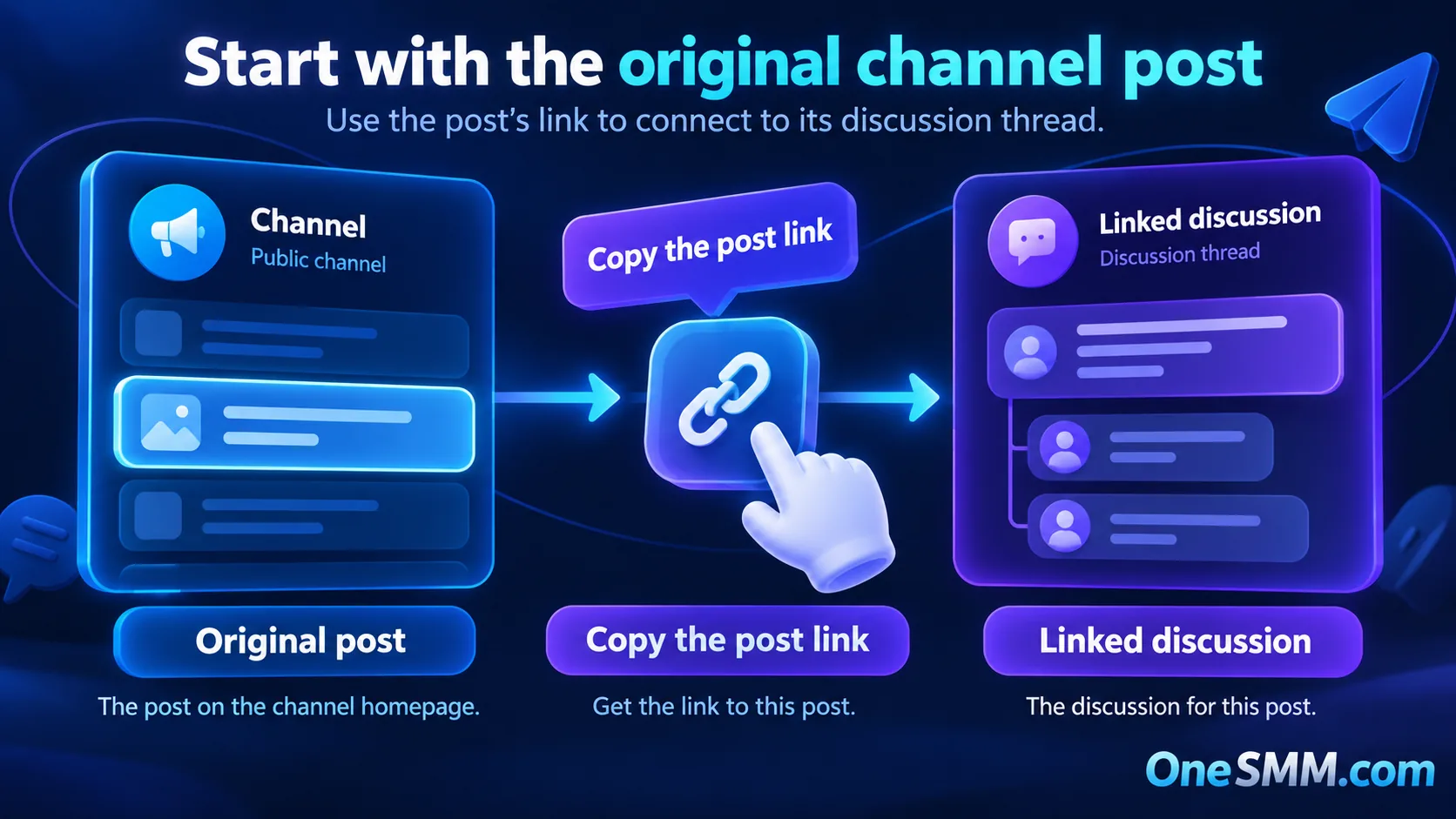
A link copied from inside a comment thread can include a specific comment identifier. Telegram documents the comment parameter as the message ID of a comment in the linked discussion group.[3] That link is useful when you want someone to open one reply. It is not the same job as identifying the channel post that owns the full thread.
| Link type | What it identifies | Use |
|---|---|---|
| Channel homepage | The channel | Discovery or joining, not one post |
| Channel post | One broadcast message | Default for a post-specific comment task |
| Comment deep link | One reply inside the thread | Opening that particular reply |
| Discussion-group message | A message in the linked group | Group moderation or sharing, not the default task input |
| Invite link | Access to a channel or group | Joining, not identifying a post |
Public and private post links
A public channel-post link usually contains the public username and a message number. A private channel can produce a message link that only authorized members can open. An invite link may grant access, but it does not identify the post.
Before you submit anything, open the copied URL outside the account that created it. If the destination is private or restricted, a provider may be unable to reach it. Do not make a private community public merely to satisfy a service. Choose a suitable service or keep the task private. The public-vs-private Telegram link guide explains how to match channel, post, and invite links to the selected service input.
Checks before you order comments
- Comments are enabled. The target post has a working comment button and opens the intended discussion thread.
- The link reaches one post. It should not stop at the channel homepage or a join screen.
- The post is accessible. Test visibility from another account or a logged-out browser where appropriate.
- The requested quantity and language fit. Read the selected service description rather than assuming every listing supports custom text, language, or reply style.
- The post can be moderated. Decide who will review spam, off-topic replies, impersonation, and prohibited content.
Never give a provider your Telegram password, login code, two-step verification password, QR login approval, or session file. A normal link-based task should not require account access.
How to verify the result
Record the visible comment count and save the target URL before the task starts. After the order state changes, open the same original post and inspect the actual thread. A dashboard status is not a substitute for checking the public result.
Look for comments on the correct post, readable language, duplicates, deleted messages, and replies that violate the channel rules. Counts can change when Telegram removes messages or moderators delete them. Do not promise clients permanent counts or specific audience behaviour unless the selected service explicitly and truthfully supports a documented condition.
Moderation still matters
Comments create work as well as activity. The linked group is where administrators can manage the conversation, remove spam, restrict abusive users, and set permissions. Establish a short rule set before opening comments, especially for finance, health, politics, or other topics where impersonation and harmful advice can create real risk.
Paid comments should not replace genuine community management. Use questions, follow-up posts, and clear moderation to give real members a reason to join the thread. If the channel has weak reach, diagnose that first with the Telegram channel analytics guide. The Telegram community-building guide covers discussion prompts and engagement planning.
Choose the service only after the link passes
Open the current OneSMM service catalog and search the live Telegram categories. Availability and required link formats can vary by listing. Read the exact service description before ordering, then submit the original channel-post link only when that is the stated input.
If the catalog does not show a matching option, do not force the post link into another service. Keep the link, fix any discussion-group setup issue, and choose a product that clearly supports the task.
Sources
[1] Telegram Channels: comments and discussion groups