Telegram Poll Votes: Links, Options, Privacy, and Checks
A Telegram poll-vote order needs the link to the message that contains the poll and, when the service supports option selection, the exact answer you want. Check whether the poll is open, whether it allows one or several answers, and whether votes are anonymous before you submit anything. A channel homepage, group invite, screenshot, or link to an unrelated message does not identify the poll.
Use paid votes as a visible counter test or campaign input, not as research evidence. Added votes do not prove genuine preference, representative sampling, product demand, or community trust.
Video summary

Start with the poll message, not the channel
Telegram publishes a poll inside one message. The target therefore needs to open that message directly. A public post link normally includes a username and message number, such as https://t.me/examplechannel/125. The channel link https://t.me/examplechannel identifies the feed, but not the poll inside it.
Copy the link from the poll message itself. Then open it in a logged-out browser or another account that has the required access. The page should land on the intended poll, not the channel profile, a join screen, or a different post.
Choose the intended answer before ordering
A poll can have several answer options, and the provider needs an unambiguous instruction. Some order forms expose an option selector; others ask for a number or text in the service-specific field. Read the live listing and match the option exactly. Do not assume that "option one" means the first option after the creator edits or reshuffles a poll.
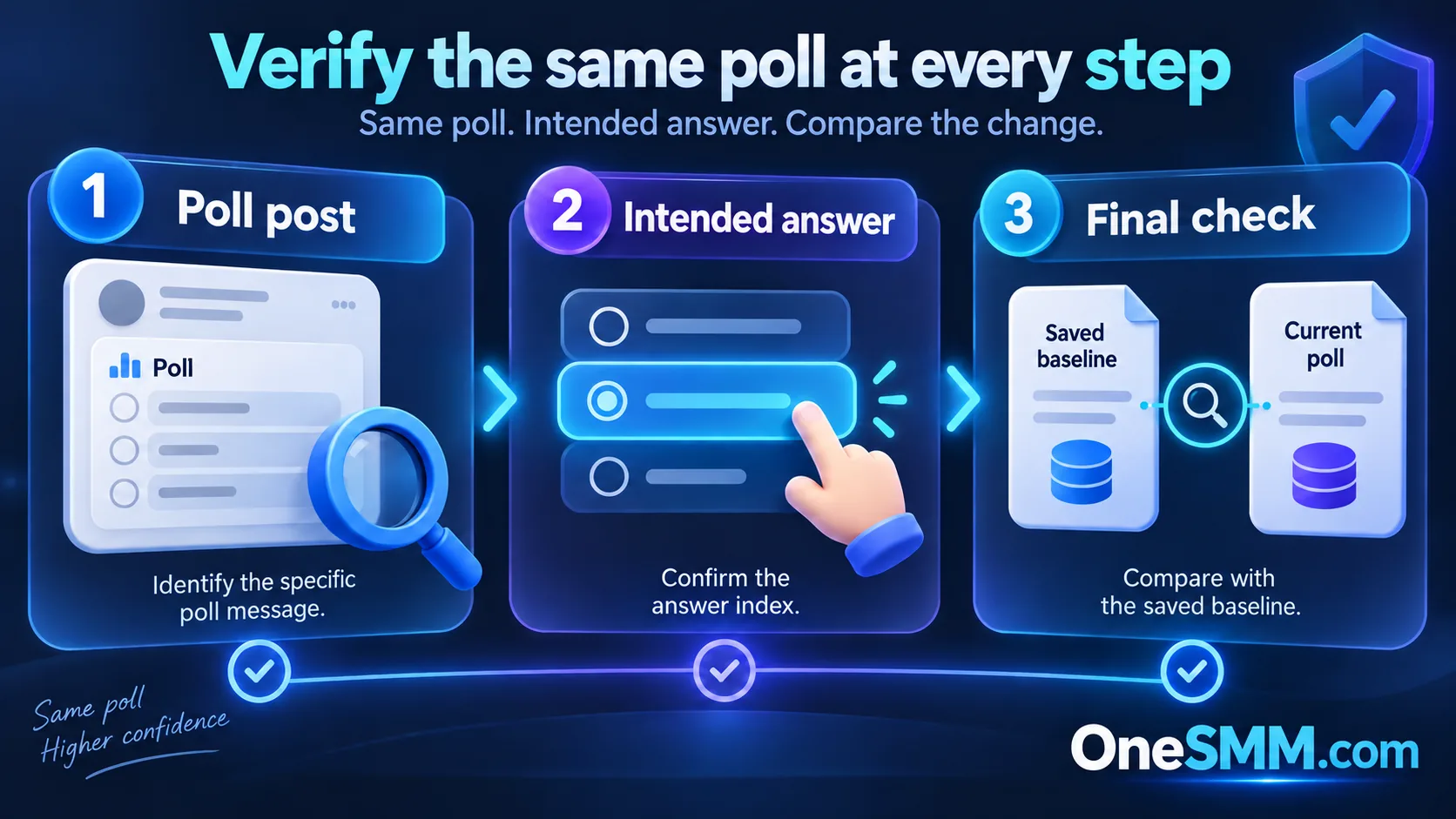
If the form does not show how to select an answer, stop. A generic quantity field cannot tell the service which choice should receive votes. Use a listing whose input requirements are clear or ask support before paying.
Poll settings change what a vote means
Telegram supports visible-vote polls, polls with multiple answers, and quiz-style polls. In quiz mode, the poll has a correct answer and can include an explanation. Telegram's API also distinguishes anonymous from non-anonymous polls and records chosen options separately.[1][2]
| Poll setting | What changes | Check before ordering |
|---|---|---|
| Anonymous voting | Individual voter identities are not exposed through the poll result. | Do not expect a visible list of accounts as delivery evidence. |
| Visible votes | The poll can show who voted for each option. | Decide whether that visibility is appropriate for the community and campaign. |
| Single answer | Each participant chooses one option. | Specify the intended option exactly. |
| Multiple answers | A participant can choose more than one option. | Confirm whether the service supports the poll type and how it assigns choices. |
| Quiz mode | Telegram marks a correct answer and may show an explanation. | Do not confuse a quiz answer with an ordinary preference vote. |
| Closed poll | Telegram no longer accepts new votes. | Reopen or create a new poll if appropriate; do not order against a closed target. |
Public and private poll links
A public message link is usually testable without joining the channel. A private group or channel may produce a link that only members can open. An invite link can grant access, but it is not the same as the message link that identifies the poll.
Do not change a private community to public merely to fit a service. Choose a listing that explicitly supports the target's visibility, and never provide a Telegram password, login code, two-step verification password, QR approval, session file, bot token, or administrator access for a normal link-based order.
Run a small verification test
- Save the poll URL, question, option order, current total, and current count for the intended answer.
- Confirm that the poll is still open and accessible from the environment the provider will need.
- Read the selected listing's minimum, maximum, start window, option-selection method, and support terms.
- Use the smallest quantity that answers your delivery question.
- Return to the same poll after the stated window and compare the intended option with your saved baseline.
Check the poll itself rather than relying only on an order status. A completed status says the panel finished its process; it does not replace public result verification.
What to record when the count does not move
| Evidence | Why it matters |
|---|---|
| Exact submitted URL | Shows whether the order targeted the poll message or only the channel/group. |
| Selected answer | Prevents confusion when several options have similar labels. |
| Baseline screenshot and time | Preserves the count before delivery started. |
| Poll state | Confirms whether the poll remained open and reachable. |
| Order ID and service name | Lets support identify the exact listing and terms used. |
| Later screenshot and time | Shows whether the intended option changed during the stated window. |
Common causes include a channel-only link, a closed poll, an inaccessible private message, an unsupported multiple-answer or quiz format, and a missing or incorrect option selection. Do not place a duplicate order until those points are checked; overlapping orders make attribution harder.
Keep the result honest
A purchased count should not be presented as independent customer research, a fair election, or proof that real community members chose the winner. Do not use bought votes in governance, contests, public-interest decisions, or any setting where participants reasonably expect an authentic result.
For ordinary marketing tests, label internal reporting accurately. Separate paid delivery from organic responses, comments, joins, clicks, and sales. A larger poll total does not establish any of those outcomes.
Choose the next step that matches your purpose
If you only need to confirm that the link and poll format work, start with the free Telegram votes trial and follow its current eligibility rules. For a paid quantity, compare the live options on the Telegram votes page and recheck the service description at order time. If the poll is part of a wider promotion, use the Telegram channel analytics checklist to separate visible poll activity from reach and business outcomes.
Copy the message link, name the intended answer, save the baseline, and verify the same poll afterward. If any of those four steps is unclear, do not submit the order yet.