How to Build a Telegram Content Calendar You Can Maintain
A maintainable Telegram content calendar is a short working queue, not a six-month promise. Plan enough posts to protect quality and deadlines, but leave room for news, audience questions, and ideas that fail review. Each row should tell your team what the post is for, who owns it, what format it needs, when it should publish, and whether it is actually ready.
Start with one planning cycle you can complete. For many channels, that means a week or a month in detail and a looser backlog beyond it. Set the posting cadence first, choose a few repeatable content pillars, then move each post through idea, draft, review, scheduled, and published states. At the end of the cycle, keep the formats and topics that helped the channel's job and remove the work that produced noise.
Decide what the calendar must control
A list of dates is not enough. The calendar should prevent the failures that make a Telegram feed look improvised: several promotions in a row, an important post with no owner, a poll that has not been checked, or a scheduled message that still contains an old link.
| Field | What to record | Why it belongs in the calendar |
|---|---|---|
| Publish date and time | The intended slot and audience timezone | Separates a real commitment from an undated idea. |
| Content pillar | The recurring job, such as education, product update, community prompt, or news | Makes an unbalanced run of posts visible before publication. |
| Format | Text, image, video, poll, link post, album, or another supported format | Shows what production work and checks the post needs. |
| Owner | The person responsible for the next action | Stops drafts from waiting on an unnamed reviewer. |
| Status | Idea, drafting, review, ready, scheduled, published, or cancelled | Distinguishes work that exists from work that is safe to send. |
| Source and CTA | The evidence link, destination link, and intended reader action | Makes factual and link checks part of the workflow. |
| Result note | Comparable views, shares, reactions, clicks, joins, leaves, or a qualitative lesson | Turns the next calendar into a revision instead of a copy. |
Add a campaign or client field only if you need it. A small channel does not need a project-management database disguised as a spreadsheet. Every extra field should answer a decision the team actually makes.
Choose a planning horizon you can trust
Detailed plans lose value as the date moves further away. Product launches shift, Telegram features change, and audience questions reveal better topics. Put near-term posts into exact slots. Keep later ideas in a ranked backlog until they are close enough to research and assign.
- Detailed queue: posts that have an owner, source, format, and realistic publication slot.
- Draft window: the next batch being written or produced.
- Backlog: useful ideas without a promised date.
- Buffer: deliberately open space for timely updates.
Build content pillars from the channel's promise
Content pillars are recurring jobs, not broad labels such as "value" or "engagement." A Telegram service channel might use service explanations, order troubleshooting, platform changes, practical growth lessons, and product updates. A news channel needs a different set: breaking updates, context, corrections, and scheduled roundups.
Write a one-sentence rule for each pillar. The rule should make it easy to reject a post. For example, "Order troubleshooting explains one status or input field without promising a delivery result." That is more useful than a pillar called "support content."
Keep the mix proportional to what subscribers joined to receive. If the recent feed is already promotion-heavy, the next calendar should not hide the same imbalance behind new labels.
Match the format to the teaching job
Telegram channels support text and links as well as photos, videos, polls, and other media. Choose the smallest format that makes the post clear. A short update may need only text. A comparison may need a compact table image. A question that benefits from counted answers may suit a native poll.
- Use text when the point is brief and does not depend on a visual state.
- Use an image or album when readers need to compare screens, products, or steps.
- Use video when motion or a sequence is the lesson.
- Use a poll when the answers will change a real editorial decision.
- Use a link post when the destination provides the main value and your caption explains why it is worth opening.
A poll is not a substitute for a content idea, and an image is not useful merely because the calendar has a media column. Give every asset a job.
Move posts through a visible workflow
The calendar works when status changes have clear meanings. "Ready" should mean that the copy, media, links, source claims, destination, and publication settings have been checked. "Scheduled" should mean that someone verified the actual scheduled message, not just the planned date in a spreadsheet.
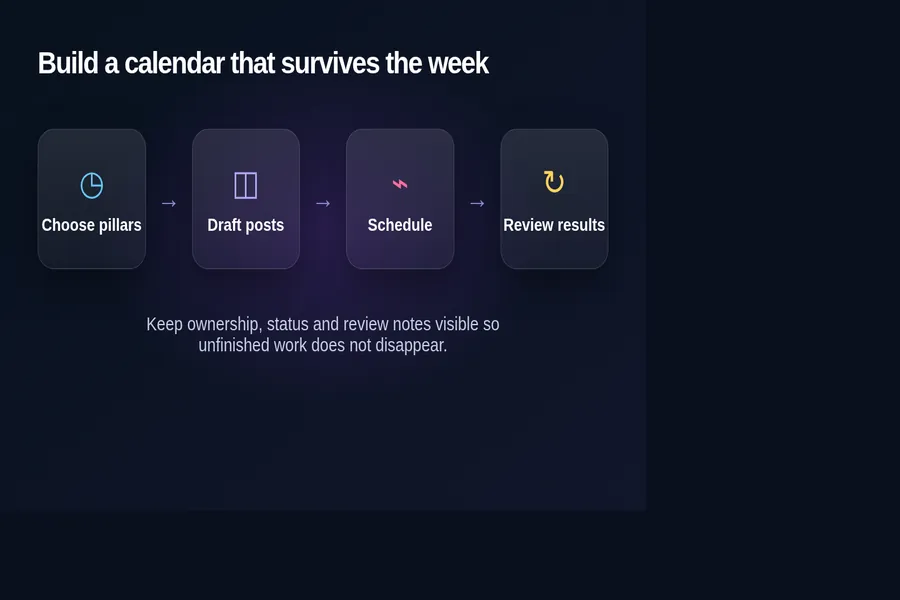
- Choose the job. Assign the post to a pillar and write the reader action in one sentence.
- Draft and source it. Add the copy, media brief, factual sources, and destination link.
- Review the final object. Check the exact media, caption, buttons, poll options, links, and permissions that will be sent.
- Schedule in Telegram or your approved tool. Telegram's official scheduling flow is available by holding the Send button and selecting Schedule Message.
- Verify after publication. Open the live post and record any correction or delivery issue.
- Review comparable results. Compare posts after a similar amount of time rather than judging a fresh post against an older one.
Plan reviews before you plan more posts
A content calendar becomes busywork when results never change the next cycle. Telegram's channel statistics can include growth and post-performance signals for eligible channels, while individual posts expose a view counter and can have post-level statistics. Availability depends on the channel and current Telegram interface.
Choose a small set of signals that match the post's job. A product update may need link actions and support questions. An educational post may be judged by shares, reactions, replies, and how it performs over time. A community prompt should be evaluated by the quality of the discussion it creates, not only the visible view count.
Write one lesson beside the post: keep the format, change the opening, update the topic, move the slot, or stop repeating it. Change one meaningful variable where possible. If you rewrite the topic, format, timing, and distribution together, the result will not tell you which decision helped.
Use a weekly maintenance routine
- Remove outdated ideas and broken destinations from the backlog.
- Confirm owners for every post in the detailed queue.
- Check that important posts are not crowded by lower-value updates.
- Review the next scheduled items for time-sensitive facts.
- Add result notes to recently published posts.
- Move only the strongest backlog ideas into production.
If the routine takes longer than producing the posts, simplify the calendar. The system should reduce forgotten work, not create a second feed that needs constant upkeep.
Connect the calendar to growth without forcing promotion
A calendar can coordinate distribution, but it cannot make weak posts useful. Before paying for reach, make sure a new visitor can understand the channel description, recent feed, pinned message, and next action.
Use our Telegram posting frequency guide to choose a sustainable baseline, then consult the best-time guide and channel analytics guide for separate timing and review decisions. The SMM growth planner can help organize a broader campaign, while the free Telegram channel audit gives you a practical check before adding paid distribution.
Sources: Telegram's official Scheduled Messages announcement, Channels tour, and channel statistics documentation.