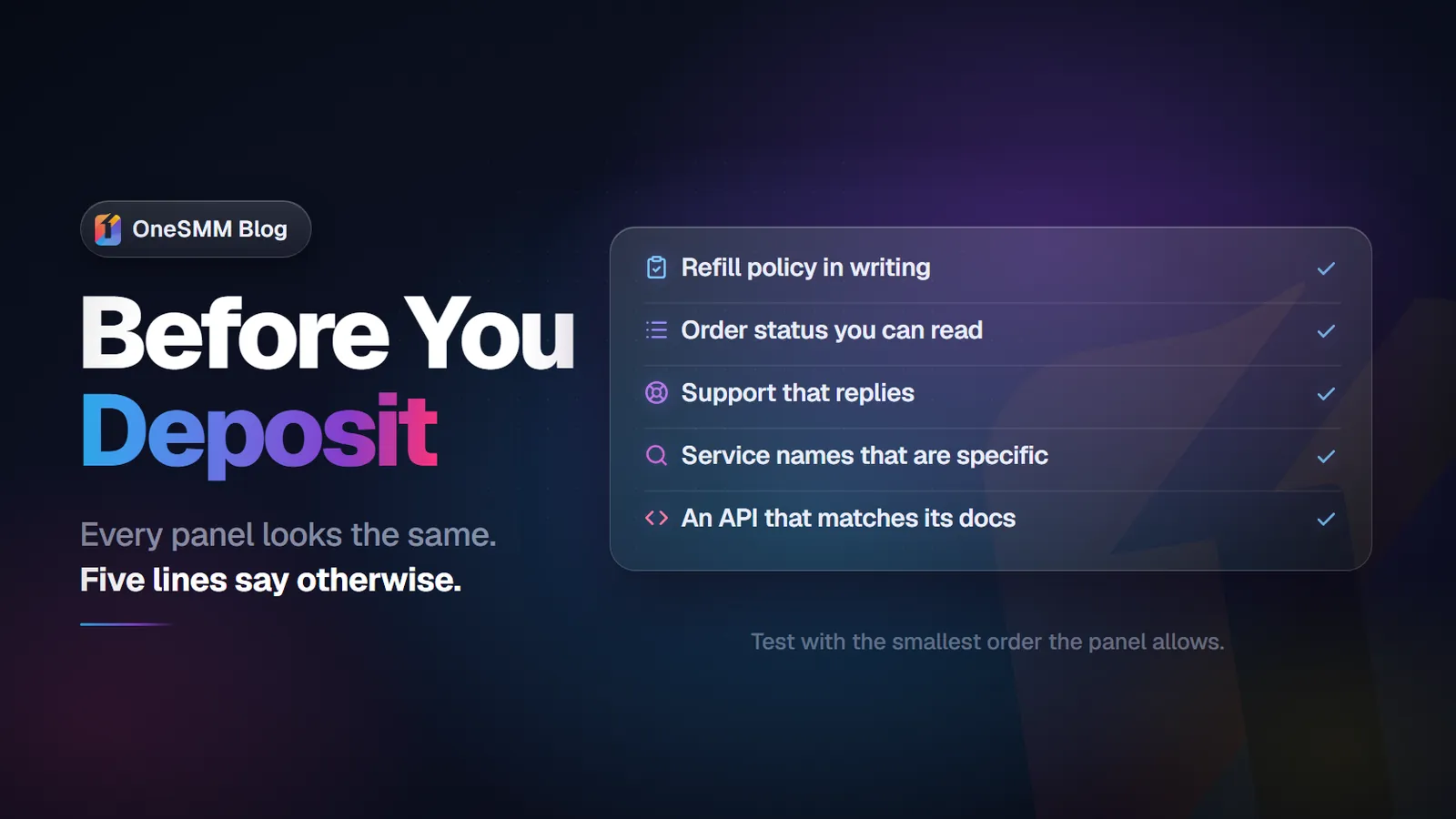
Telegram SMM Panel: What to Check Before You Place Orders
A Telegram SMM panel (also called a tele SMM panel) is a web-based marketplace for purchasing Telegram growth services — channel subscribers, group members, post views, reactions, and auto-engagement — at wholesale prices that start from $0.01 per 1,000 views and $1.45 per 1,000 subscribers. With Telegram now serving over 1 billion monthly active users and the global social media marketing market at $234 billion in 2026, SMM panels have become a core infrastructure for Telegram growth. The panel model consolidates dozens of service providers behind a single dashboard, letting buyers compare tiers, track orders, and access API endpoints for automated reselling. The five criteria that separate panels worth using from those that waste budget are: service catalog specificity, refill policy detail, order tracking granularity, support response time, and API documentation quality.
Every Telegram SMM panel shows a list of services with prices and delivery times. On the surface, they look similar. The differences only become visible when you start placing orders — and by then you have already committed budget to find out whether the panel is worth using.
The smarter approach is to evaluate before ordering, using criteria that separate panels that actually perform from panels that look good on a comparison table but fail when something goes wrong. If you want a technical walkthrough of how SMM panels work under the hood, our Telegram SMM panel guide covers the mechanics in detail. This page focuses on what to check and how to test before committing budget.
The cheapest panel is not the least expensive panel to use. Hidden in service quality, support delays, partial orders, and failed refills, panels with slightly higher rates often cost less in total than ultra-cheap platforms where every problem requires manual effort to resolve.
Five criteria that actually differentiate Telegram SMM panels
1. Service catalog depth and specificity
A quality Telegram panel carries services specific to your use case — not just generic "Telegram members" that might work for channels, might work for groups, and might not work for either. Look for a catalog that:
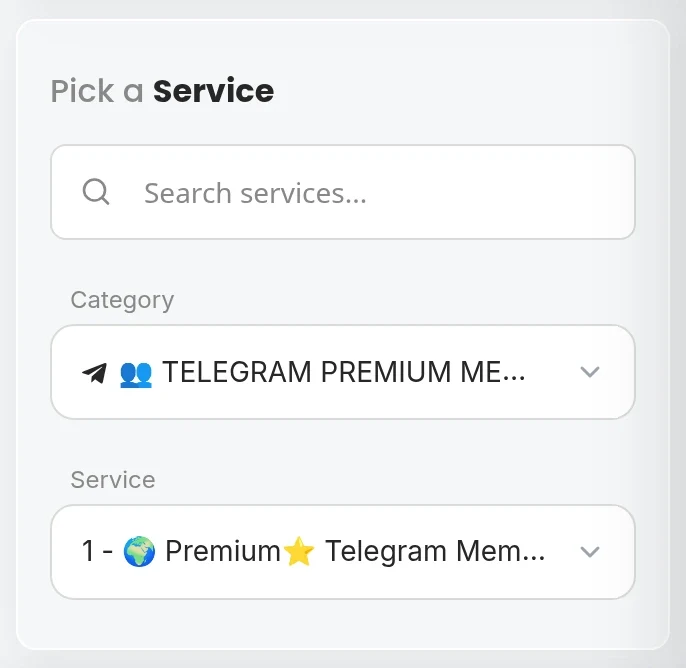
- Separately lists channel subscribers and group members as distinct services
- Offers multiple tiers within each service type (economy, drop-protected, gradual)
- Includes post views, auto-views, reactions, and other Telegram-specific services
- Labels each service clearly enough that you know what you are buying without guessing
A panel with 15 vaguely-labeled "Telegram members" services is less useful than a panel with 8 precisely-labeled services covering different account qualities, delivery speeds, and refill terms. For a comparison of what separates the cheapest panels from the ones that actually deliver, see our cheapest SMM panel 2026 breakdown.
2. Refill policy in writing, per service
Every panel that sells Telegram members claims some form of drop protection or refill option. The difference is in the specifics:
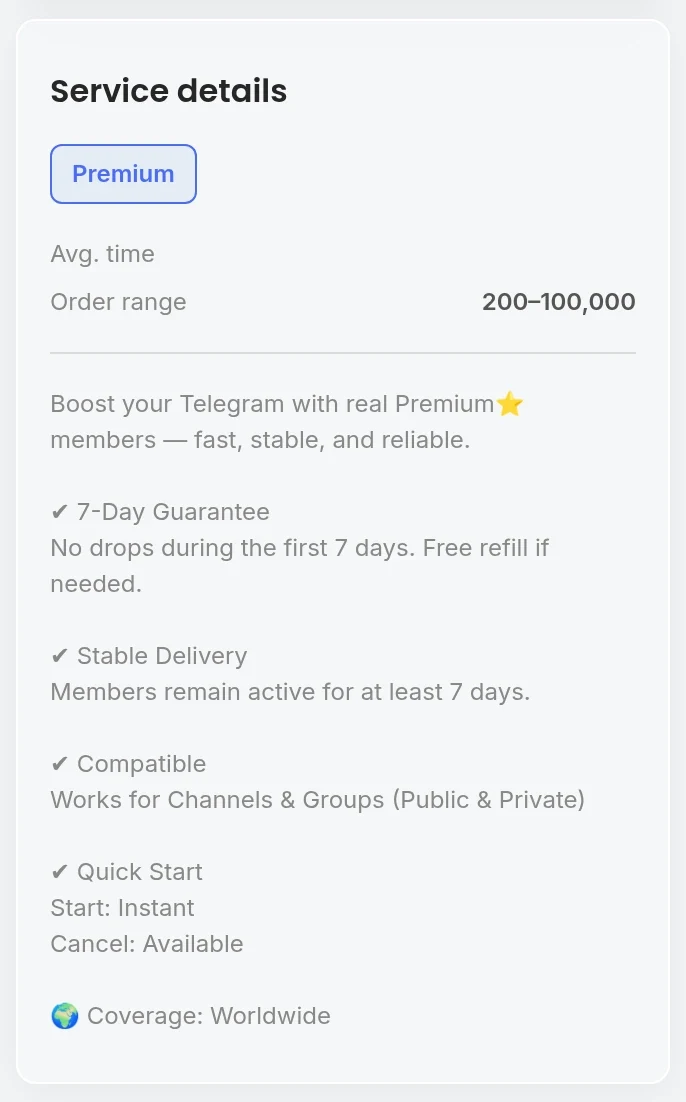
- Warranty window: 30 days is standard. Some offer 60 or 90 days. Some offer 7 days and call it "protected" — technically accurate but only covering the most acute drop phase.
- Trigger threshold: Does refill kick in when any member drops, or only when drop exceeds 5% or 10%? Small differences matter at scale.
- Refill mechanism: Automatic (panel monitors and tops up without you doing anything) or manual (you submit a request). Automatic is more reliable for resellers; manual depends on you monitoring counts.
- Maximum refill quantity: Some panels cap refills at 20% of the original order. If 30% drops, you are only covered for 20%.
A panel that gives specific answers to all four of these questions is operating with a real refill policy. One that answers with "we offer refill" and nothing else is making a claim, not a commitment.
3. Order tracking with granular status
Standard order statuses on a quality panel:
- Pending — accepted, queued
- Processing — actively delivering
- Partial — completed with less than ordered quantity (link issue, provider limit reached, etc.)
- Completed — full delivery confirmed
- Cancelled — order failed before delivery started
Panels that show only "Completed" without intermediate statuses give you no way to identify partial orders when they happen. Discovering a partial order three days later — when the refund or refill window may have elapsed — is a known problem on lower-quality platforms.
4. Support response time and resolution quality
Telegram orders fail for specific, fixable reasons: wrong link format, channel privacy setting active, provider capacity hit on a specific service, delivery speed mismatch. With approximately 2.5 million users joining Telegram every day, panel demand fluctuates and provider capacity can shift quickly. A panel with responsive support resolves issues in hours. A panel with slow support means you are working around the problem yourself — or losing the order value entirely.
How to test support before committing:
- Place a small order on the new panel
- Contact support with a specific question about the order or a service spec
- Time the response and evaluate whether the reply actually answered the question or was a generic template
Support quality under ideal conditions is a lower bound. Under pressure — a failed large order, a disputed refill — performance will be at least as slow as what you observed in the test.
5. API availability and documentation accuracy
If you are placing more than a handful of orders per month, API access converts your workflow from manual to automated. Telegram itself offers an extensive Bot API and platform API, and most SMM panels mirror this integration-first approach. The standard Telegram SMM API supports:
- Service list retrieval
- Order creation
- Order status polling
- Balance query
Check the API documentation before committing. A panel with complete, accurate, up-to-date API documentation is significantly easier to integrate than one with outdated docs or an API that differs from what the documentation describes.
Red flags in Telegram SMM panel service listings
- "Real and active" claims without specifics — every panel uses some version of this phrase. It is meaningless without retention data or verified account quality information.
- No separate channel vs group service distinction — if all Telegram services are lumped under "Telegram members," the panel is not differentiating between fundamentally different delivery mechanisms.
- Missing delivery speed estimates — you should know whether an order takes hours or days before placing it, not after.
- Refill terms in FAQ only, not in service listing — if refill terms are buried in a help section instead of attached to each service, assume they are not consistently applied.
- Support only through one channel — single-channel support (Telegram only, or ticket-only with no live option) is a reliability risk if that channel becomes unavailable during a time-sensitive issue.
How to test a new Telegram SMM panel before committing
The right evaluation sequence for any new panel:
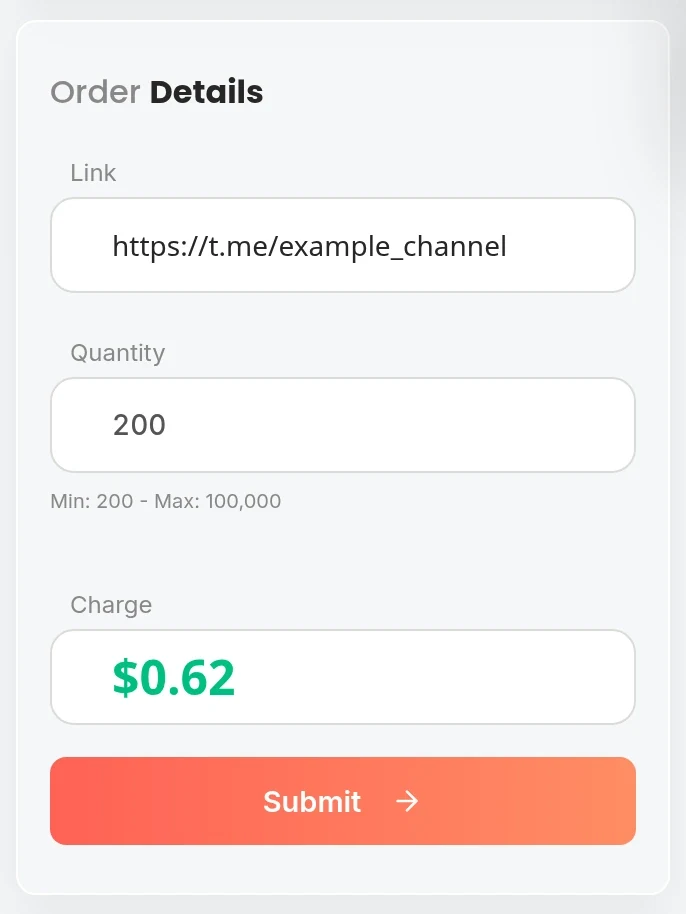
- Create an account and review the dashboard. Can you find your orders, balance, and service catalog easily? A panel that is confusing to navigate will be more confusing to manage under pressure.
- Read the service listings carefully. Verify that channel and group services are distinct, refill terms are specified per service, and delivery speed is stated for each tier.
- Place a test order of 200–500 members. Note the time from order to delivery start, total delivery time, and final count vs ordered quantity.
- Contact support with a specific question. Time the response and evaluate the quality of the answer.
- Check retention at 48 hours and 7 days. Calculate your retention rate for this specific service tier.
- If using a drop-protected tier, test the refill process. Submit a refill request if count drops within the warranty window. Evaluate response speed and refill completeness.
A panel that passes this sequence is ready for scale orders. One that fails at any step tells you what the failure mode will be at ten times the order size. We also maintain a broader best and cheapest SMM panel comparison if you are evaluating panels across multiple platforms, not just Telegram.
How is a Telegram SMM panel different from a Telegram bot service?
An SMM panel is a web-based dashboard where you place, manage, and track orders across multiple service types and providers. A Telegram bot service is usually a single-provider automated service accessible through a bot interface. Panels typically offer more service variety, order tracking, and API access. Bot services are simpler but offer fewer options and less operational control for volume buyers or resellers.
Do I need admin access to my channel to use a Telegram SMM panel?
No. Panel-delivered channel members and post views require only your channel’s public URL or username. No admin access, login credentials, or bot installation is needed. The only requirement is that the channel is public and accessible. For post-level services (views, reactions), you also need the specific post URL in addition to the channel being public.
Can I use multiple Telegram SMM panels at the same time?
Yes. Many buyers use multiple panels simultaneously — using one panel for channel subscribers where it has the strongest pricing, and a different panel for post reactions where another provider leads. There is no technical restriction on using multiple panels for the same channel, as long as you are not placing simultaneous orders on the same post or channel that might conflict or amplify each other unnaturally in a short window.
What payment methods do Telegram SMM panels accept?
Most panels accept credit and debit cards, cryptocurrency (USDT, BTC, ETH), and some accept PayPal. Balance is typically pre-loaded into a panel account — you deposit funds, then spend from the balance on orders. Confirm available deposit methods and minimum deposit amounts before creating an account, as payment options vary significantly across panels and some minimum top-up requirements can be higher than a test order warrants.
OneSMM: Telegram SMM panel built for serious buyers
OneSMM carries 120+ Telegram services across channels, groups, post views, reactions, auto-views, and more. Distinct service listings for every service type. Clear refill terms per service. Reseller API included. Economy and drop-protected tiers for every budget. Low minimums — test before you scale.